🚀 MLflow: Training Tracking and Reproducibility on MARBEC-GPU (via Jupyter Proxy)
This section explains how to use MLflow to log and visualize the performance of your models when working on a remote JupyterLab server without direct SSH access, as is the case for MARBEC-GPU. We will use the Jupyter server as a proxy to make the MLflow web interface accessible in your local browser.
Is an open source platform designed to manage the entire Machine Learning (ML) lifecycle, covering training, reproducibility, and deployment. It allows you to track and compare the parameters, metrics, and models generated by your different training runs.
For any information on MLflow implementation, you can refer to the 🔗 Official MLflow Documentation
1. Requirements ⚙️
Before starting, make sure the following dependencies are installed on Marbec-GPU JupyrerLab:
MLflow Installed: You must have
mlflowinstalled in your Python environment.pip install mlflowJupyter Proxy Installed: It is essential to install the extension that allows Jupyter to act as a proxy for other web services:
pip install jupyter-server-proxy
Your code must be configured to log run data using a local folder (in this example, runs/mlflow).
2. Starting the MLflow Server 🚀
The MLflow server must be started on the remote server, listening only on the local address (127.0.0.1) to ensure security. The Jupyter server will securely forward the traffic.
Open a terminal in JupyterLab and navigate to the main directory of your project (the one containing your runs folder). Then run the following command:
mlflow server --backend-store-uri runs/mlflow --host 127.0.0.1 --port 5000
3. Accessing the Web Interface (Proxy) 🌐
While the MLflow server is running on the remote server, you can access its web interface from your local browser using your JupyterLab session URL and adding the proxy path.
If the URL you use to access your JupyterLab is:
https://[Remote_Server]/user/[Your_User]/labThen the MLflow URL will be:
https://[Remote_Server]/user/[Your_User]/proxy/5000/The MLflow server URL becomes:
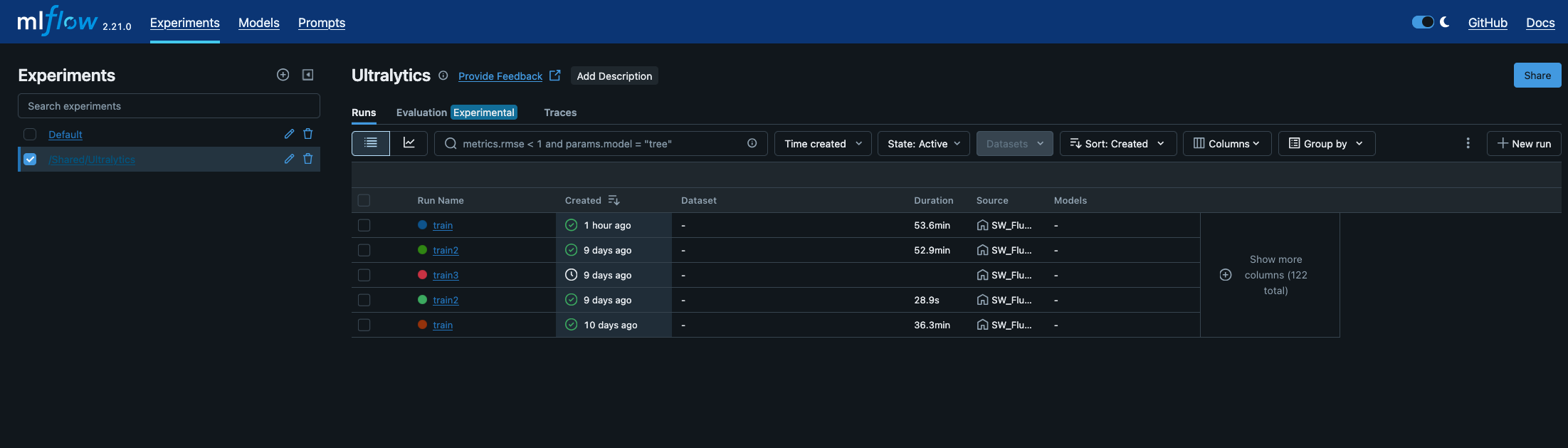
https://marbec-gpu.ird.fr/user/crestrepo/proxy/5000/Open the MLflow URL in your preferred web browser. You will be automatically redirected to the MLflow Experiments dashboard, where you can view and monitor all your runs and training sessions.